
Image Crop Tool
Upload an image, select the area you want to crop, and download the result.
How to Use the Ultimate Image Crop Tool: A Guide for Everyone
In today’s digital age, images play a crucial role in communication, whether you’re a blogger, marketer, designer, or just someone who loves sharing photos on social media. However, not every image comes perfectly framed or sized for your needs. That’s where an Image Crop Tool comes in handy. In this blog post, we’ll explore how to use our Ultimate Image Crop Tool, who can benefit from it, and why it’s a must-have in your digital toolkit.
What is the Image Crop Tool?
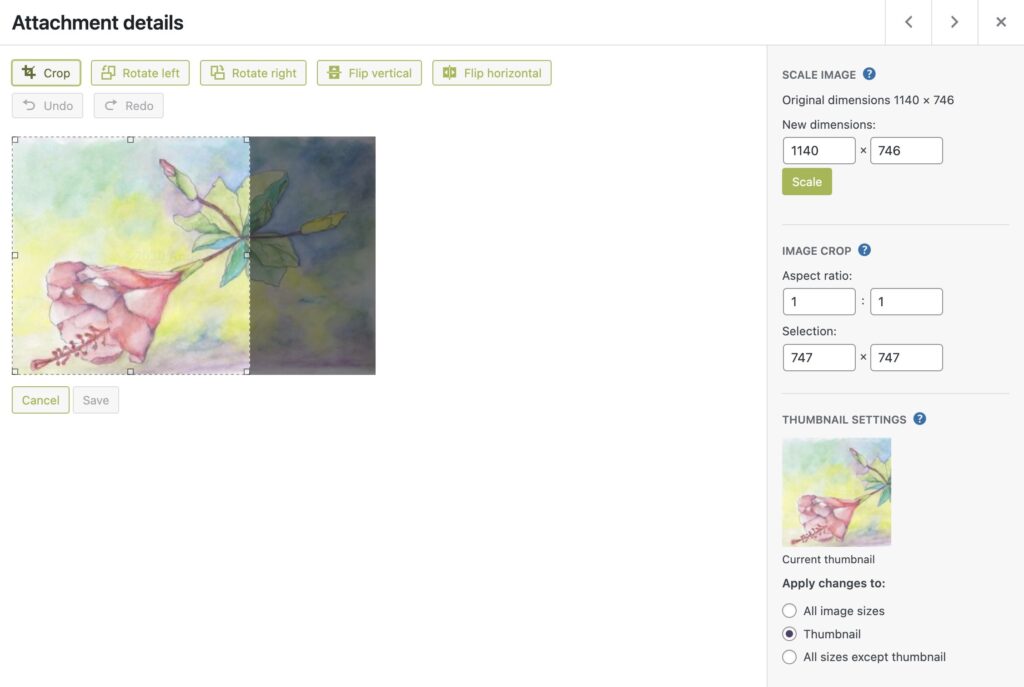
Our Image Crop Tool is a user-friendly, web-based application that allows you to crop images with precision and ease. Whether you need to resize a photo for a blog post, create a square image for Instagram, or crop a screenshot for a presentation, this tool has you covered. With features like drag-and-drop uploads, aspect ratio selection, and real-time previews, it’s designed to make image cropping simple and efficient.
Who Should Use This Tool?
- Bloggers and Content Creators
If you’re a blogger or content creator, you know how important it is to have visually appealing images that fit your website’s layout. Our tool helps you crop images to the perfect size, ensuring they look great on your blog or social media platforms. - Social Media Managers
Different social media platforms have different image size requirements. With our tool, you can easily crop images to fit Instagram (1:1), Facebook (16:9), or any other platform’s specifications. - Graphic Designers
Designers often need to crop images to fit specific design layouts. Our tool’s aspect ratio selection and draggable crop box make it easy to achieve the perfect composition. - Photographers
Photographers can use this tool to quickly crop and resize images for portfolios, client presentations, or online galleries. - Small Business Owners
If you’re running an online store or promoting your business on social media, having well-cropped product images can make a huge difference in attracting customers. - Students and Educators
For presentations, reports, or educational materials, cropping images to focus on specific details can enhance clarity and engagement.
How to Use the Image Crop Tool
Using our tool is simple and intuitive. Here’s a step-by-step guide:
Step 1: Upload Your Image
- Click on the “Drag & Drop or Click to Upload” area to select an image from your device. You can upload JPEG, PNG, or WebP formats.
Step 2: Select an Aspect Ratio
- Choose an aspect ratio from the dropdown menu:
- Freeform: Crop freely without restrictions.
- 1:1 (square): Perfect for Instagram profile pictures or posts.
- 16:9 (wide screen): Ideal for YouTube thumbnails or Facebook cover photos.
- 4:3 (standard): Great for presentations or blog headers.
Step 3: Adjust the Crop Box
- Click and drag the edges of the crop box to select the area you want to keep. You can also move the box around to focus on specific parts of the image.
Step 4: Crop the Image
- Once you’re happy with the selection, click the “Crop Image” button. The tool will process the image and display the cropped version.
Step 5: Download the Cropped Image
- Click the “Download Cropped Image” button to save the image to your device. It’s that easy!
Why is this tool important?
- Saves Time
Instead of using complex software like Photoshop, our tool lets you crop images in seconds with just a few clicks. - Improves Visual Appeal
Cropping helps remove unnecessary elements from an image, making it more visually appealing and focused. - Optimizes for Different Platforms
Each social media platform has its own image size requirements. Our tool ensures your images look perfect everywhere. - Enhances Professionalism
Whether you’re a blogger, marketer, or business owner, well-cropped images add a touch of professionalism to your work. - Free and Accessible
Unlike many premium tools, our Image Crop Tool is completely free and accessible to everyone.
SEO Benefits of Using the Image Crop Tool
- Faster Loading Times
Cropping and resizing images reduces their file size, which improves your website’s loading speed—a key factor in SEO rankings. - Better User Experience
Well-cropped images enhance the visual appeal of your website, keeping visitors engaged and reducing bounce rates. - Optimized for Mobile
With the rise of mobile browsing, having properly sized images ensures your website looks great on all devices. - Alt Text Optimization
After cropping, you can add descriptive alt text to your images, improving accessibility and SEO.
Tips for Effective Image Cropping
- Focus on the Subject
Always ensure the main subject of the image is centered or prominently featured in the crop. - Follow the Rule of Thirds
Divide the image into a 3×3 grid and place the subject along the lines or intersections for a balanced composition. - Avoid Over-Cropping
Be careful not to crop too much, as it can reduce image quality or remove important details. - Use Consistent Sizes
For branding purposes, maintain consistent image sizes across your website or social media platforms.
Conclusion
Whether you’re a professional designer, a social media enthusiast, or someone who just wants to improve their photos, our Image Crop Tool is here to simplify your workflow. Its intuitive interface, powerful features, and SEO-friendly output make it the ultimate solution for all your image cropping needs.
Try it out today and see how easy it is to transform your images into perfectly cropped masterpieces!

